
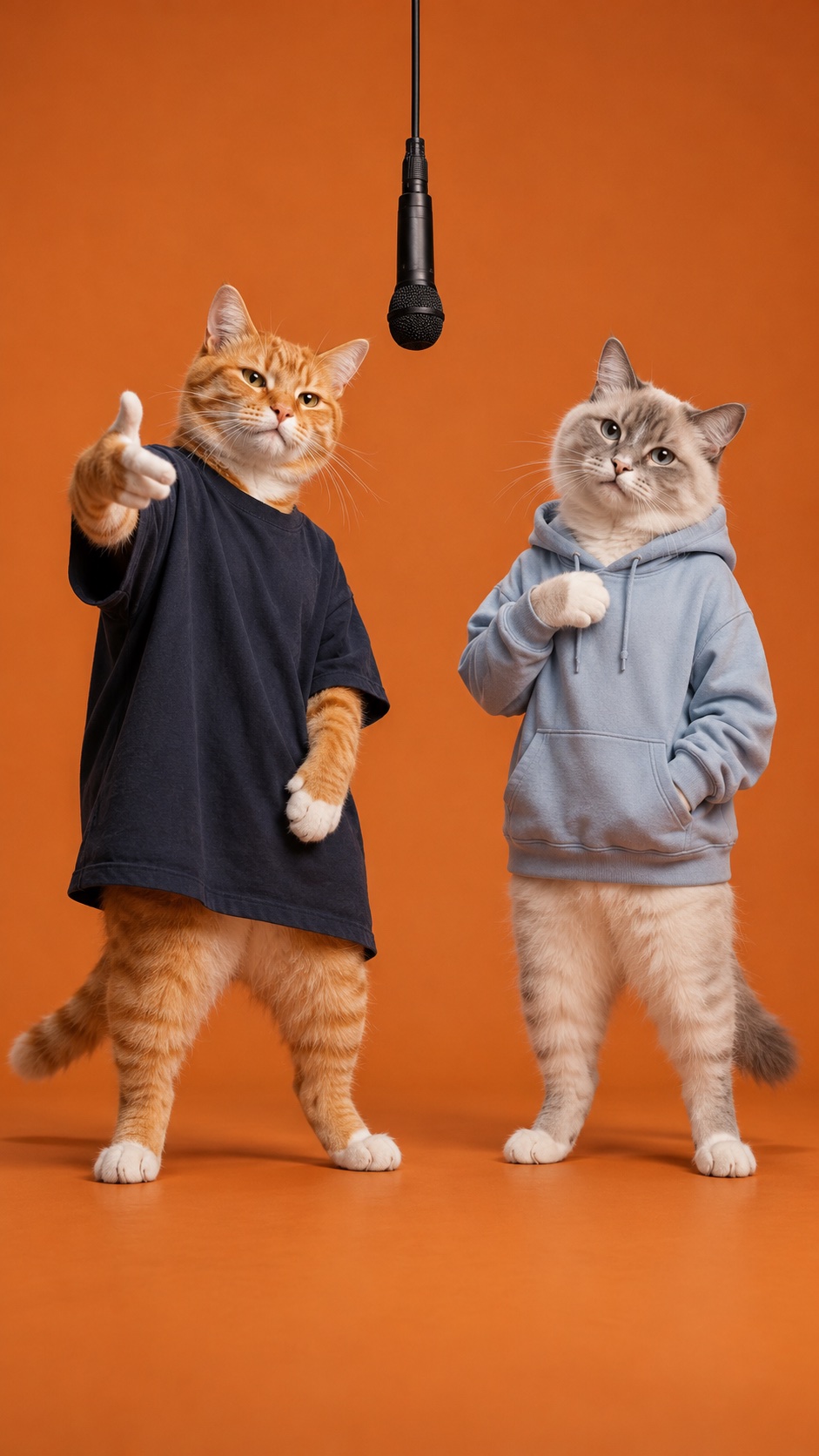
Two photos. One orange booth.
Hotel Lobby AI Video Generator
Give your pets, friends, or couple photos a duet of their own. Two characters share an orange recording booth, trade playful moves, and perform beneath a hanging microphone.
Review the credit quote before generating · Sign in to create
Meet your new duo
The orange-booth template is already loaded as Image 1. Add two photos: the left performer as Image 2 and the right performer as Image 3. The prompt, 720p resolution, 10-second duration, portrait format, and generated audio are ready to edit.
Reference images
Reference videos
Guide the result with reference images, videos, or audio.
Enter at least 3 characters to continue.
A small stage for a memorable double act.
The Hotel Lobby AI effect pairs two distinct characters in a seamless orange recording booth. A supplied template image guides the suspended microphone, framing, and light; your two photos guide the performers. Seedance 2.0 uses these references and the prepared prompt to create a new performance.
Let your pets perform
Pair a cat and a dog, or give two pet portraits a stage together. The prompt asks each character to keep its own appearance and move independently.
Give your duo a scene
Use separate photos of partners or friends. Photo order sets the left and right performers, so each person has a clear role.
Start with a portrait clip
The 9:16, 10-second default fits a short social post. Edit the prompt, duration, or format in the studio to suit your idea.
From two photos to a duet
- 01
Choose your two performers
Keep the preloaded scene template as Image 1, then upload one clear photo per character. Image 2 is your left performer; Image 3 is your right performer. Use unobstructed faces or pet features for stronger references.
- 02
Make the scene your own
Review the prepared prompt and settings. Add an optional music clip as an audio reference in the studio, then check the credit quote before you start.
- 03
Generate, preview, download
Sign in and submit your video. Follow its progress in the studio, preview the finished duet, and download the result from your assets.
Your prepared Hotel Lobby AI prompt
The prompt and scene reference are already loaded in the studio. Image 1 supplies the booth; Image 2 and Image 3 supply your left and right performers. Keep those roles clear as you edit the gestures, mood, or soundtrack.
Create a 10-second vertical music-performance video using the template scene in @Image1 and two character references. Use @Image1 only as the reference for the seamless matte-orange booth, orange floor, full-body framing, soft studio lighting, and black microphone suspended between the performers. Do not copy the cats, their faces, fur, clothes, or identities from @Image1. Replace both template characters with the user references. Cast the subject in @Image2 as the LEFT performer and the subject in @Image3 as the RIGHT performer. Keep their faces, hair or fur markings, clothing and accessories distinct and recognizable, with each subject staying on their assigned side. Frame both performers from head to feet, leaving space between their bodies. For the first half, the left performer delivers expressive rap gestures while the right performer nods and reacts; for the second half, let the right performer lead while the left reacts. Give each character independent movement with a relaxed rhythmic bounce. For pets, animate an upright performance while preserving their animal faces and fur from their respective user references. Use a fixed eye-level camera and a single continuous shot. Keep the orange backdrop and hanging microphone stable. Avoid face blending, identity swaps, extra characters, extra limbs, text, logos and scene changes. Generate an original rhythmic hip-hop backing track with no quoted song lyrics. If @Audio1 is supplied, use it as guidance for the rhythm and soundtrack.Hotel Lobby AI questions, answered
What is the Hotel Lobby AI video effect?
It is a two-photo video template inspired by the orange-booth duet look: two performers, a hanging microphone, a fixed camera, and playful coordinated movement. The scene image is preloaded as a template reference. Your two uploaded photos guide the characters, and the prepared prompt supplies the performance direction.
Which photos should I upload, and in what order?
Image 1 is the preloaded scene template. Upload two separate, sharp, well-lit photos with one visible character in each: Image 2 is the left performer and Image 3 is the right performer. The template cats guide the scene, not the character identities. Avoid group shots, covered faces, and heavy filters. Use photos you have permission to use.
Can I use pets, couples, or friends?
Yes. The template is suitable for two pets, two people, or a playful mixed duo. Describe the pair in the prompt and keep each character linked to its own photo. Generated details can vary, so preview the result before sharing it.
Does it include music or let me add my own?
Audio generation is enabled by default. You can add your own music through the studio’s audio reference upload to guide the sound and rhythm. The final soundtrack is AI generated; an exact original song or precise lip sync is not guaranteed.
Will the result match the preview and my photos exactly?
The preview is an AI concept illustration and is preloaded as the booth’s scene reference. Your two photos supply the character identities. The result is a newly generated video, and appearance, motion, character separation, and timing can vary. Clear individual photos and explicit left/right roles help guide it.
What are the default settings and credit cost?
The template starts with Seedance 2.0 at 720p, 10 seconds, and 9:16, with audio enabled. You can edit these settings. The studio shows the credit quote for your selected settings before submission. Sign in and have enough credits to generate.
Is this the effect I found by searching “hotle lobby ai”?
Yes. That spelling is a common transposition of Hotel Lobby AI, the orange-booth duet effect featured on this page. Use the two-photo template above to create your own version.